Apartments.com Rental Search
- 4.7
- Rating
- 5.00M
- Installs
- Free
- Price

 Analysis by App-foxy
Finding a rental is usually less about discovering one perfect listing and more about reducing a messy search into a manageable shortlist. That is where Apartments.com Rental Search makes the strongest impression. I found it most useful as a practical first stop for comparing apartments, houses, condos, studios, and rooms in one place, especially when I wanted to move from vague browsing to a specific set of neighborhoods and budgets.
The app is free, aimed at everyone, and belongs in the House & Home category. It is developed by CoStar Apartments.com Android Team, and its long presence in the rental-search space shows in how familiar the overall workflow feels. With a 4.7 average from around 96 thousand ratings and more than 5 million installs, it is clearly a widely used tool rather than a niche directory. My view is positive, but with an important qualification: it is excellent for organizing a search, not a substitute for checking a property, landlord, lease, or neighborhood yourself.
How Apartments.com Rental Search works in everyday use
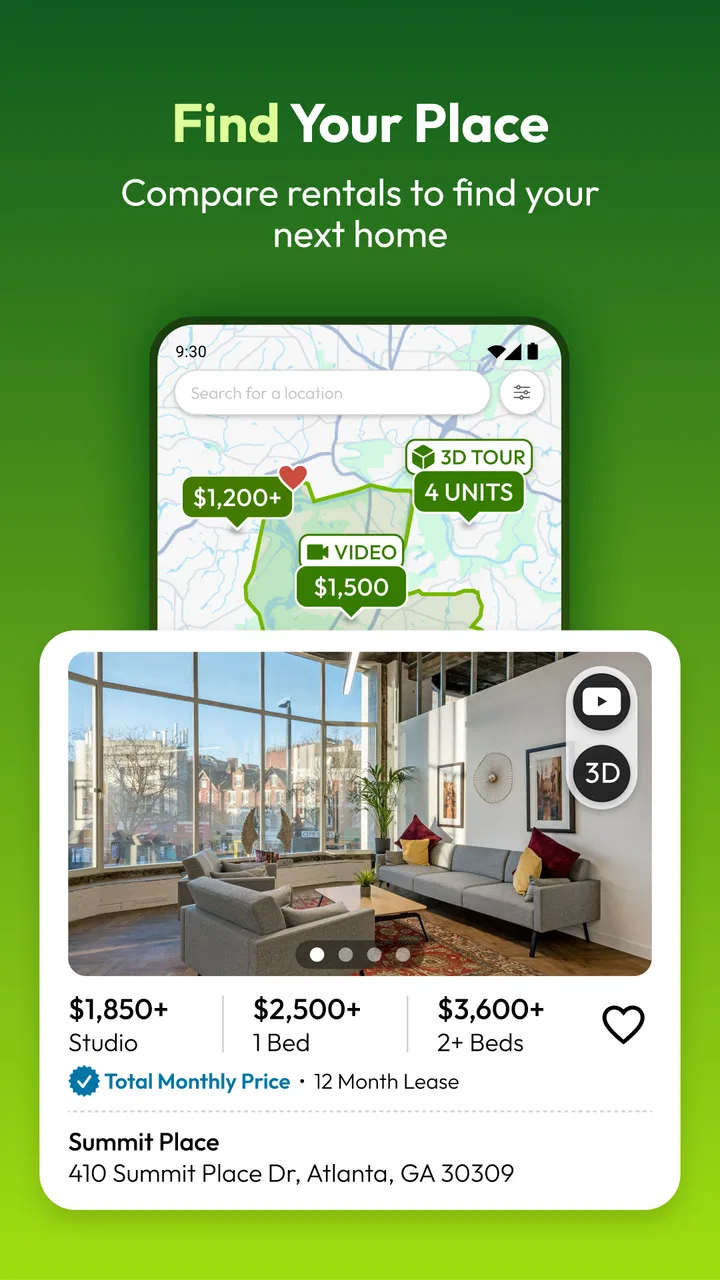
The basic experience is straightforward. I start with a location, then narrow the results according to the kind of home I want and the limits that matter most to me. That could mean looking for a small studio near work, a larger apartment for a family, a condo-style rental, or a house with more space. The value is not simply seeing many listings; it is being able to turn a broad area into a more realistic group of possibilities.
You May Also Like

 AccuWeather: Weather Radar
AccuWeather Review: A Quick, Clear Forecast for Everyday Decisions
For everyday plans, the best forecast is the one you can understand quickly. AccuWeather makes rain timing, radar, and local conditions easy to act on, with a few trade-offs.

 Hill Climb Racing
Why Hill Climb Racing Still Turns Crashes Into One More Run
A tiny car, a bumpy hill and one more upgrade: Hill Climb Racing keeps resurfacing because its simple chaos makes every near-miss feel personal.

 AliExpress - Shopping App
AliExpress Makes Global Shopping Feel Personal, but Shoppers Bear the Risk
AliExpress turns a global marketplace into a pocket-sized discovery engine. Its reach is useful, its shopping loop compelling, and its trade-offs easy to miss.

 Lords Mobile: Kingdom Wars
Lords Mobile Is a Kingdom-Building Routine, Not a Quick Match
A case-by-case verdict on the building, battles, device demands, and social commitments that make Lords Mobile rewarding for some players and exhausting for others.

 PDF Scanner app - TapScanner
TapScanner Makes Paperwork Easier to Capture, Check, and Share
TapScanner makes scanning with a phone feel less like a rescue operation and more like a dependable step in getting work done. Its capture tools are useful, though not flawless.

 Block Blast!
 Shows How Much a Puzzle Game Can Leave Out
A quiet grid game shows why puzzle players increasingly value instant clarity, repeatable skill and low-pressure play—and where the genre still needs to catch up.
More From Our News Desk
View All News


I especially like approaching the app with a plan instead of opening it just to scroll. Before searching, I decide my maximum monthly budget, the minimum number of bedrooms, the acceptable commute area, and which requirements are truly non-negotiable. If I treat every preference as essential, the results can become too narrow. If I separate “must have” from “would be nice,” the app becomes much more useful for comparing trade-offs.
A realistic example would be someone whose lease ends soon and who works from home several days a week. Rather than searching only for the lowest price, I would use the app to compare a smaller place close to transit with a larger home farther away. The important question is not which listing looks most attractive in isolation, but whether the extra space is worth the longer commute or higher total cost. A rental-search app is most helpful when it supports that kind of comparison.
The listing cards are designed for quick scanning, which suits the early stage of a move. I can look at photos, basic property information, location context, and the apparent fit with my search. I do not need to open every result immediately. That makes it easier to dismiss homes that are clearly unsuitable and reserve deeper attention for places that deserve it.
Why the large listing pool helps
The main strength is breadth. Apartments.com Rental Search covers several types of rental homes instead of forcing me to use one service for apartments and another for houses or condos. That matters when my plans are flexible. A person who begins by wanting an apartment may discover that a small house or condo offers a better arrangement in the same area.
That broad view also helps prevent a common mistake: deciding too early that one property type is the only workable option. I found it more sensible to compare the complete housing picture first, then focus on the type that fits my budget and daily routine. The app supports that process better than a narrow search tool centered on only one kind of listing.
Its scale is reflected in the fact that the app has passed 5 million installs. I would not treat that number as proof that every local market is equally strong, but it does make the service feel like a reasonable place to begin. In a competitive rental search, starting with a broad directory can reveal patterns in pricing, availability, and neighborhood choices before I contact anyone.
Using the app as a comparison workspace
My best advice is to use the app in several short sessions rather than one long scrolling session. In the first pass, I identify areas that seem realistic. In the second, I compare homes within those areas. In the third, I revisit the strongest candidates and look for questions that need answers. This prevents the familiar problem of forgetting why one listing seemed better than another.
I also recommend judging listings against the same checklist. I look at location, space, likely monthly cost, apparent condition, and whether the home fits my routine. A beautiful photo can distract from an inconvenient location, while a less polished presentation may still represent a practical option. The app is good at presenting choices, but the quality of the decision depends on how consistently I evaluate them.
The smartest workflow is to use the app for discovery and narrowing, then switch to direct verification before making any commitment. I would confirm the current availability, the complete payment requirements, included utilities, parking arrangements, pet rules, move-in timing, and the identity of the contact person. These details can change, and a listing screen should never be treated as the lease itself.
Small search habits that make a real difference
One useful habit is to search slightly beyond the first neighborhood that comes to mind. A nearby area may offer a better balance between rent and commute, or a different property type may become realistic there. I would not expand the map endlessly, because that creates noise, but a controlled comparison of adjacent areas can expose options that a single-neighborhood search misses.
Another is to test the search with realistic compromises. I might first search for the ideal number of bedrooms, then repeat the search with one fewer bedroom or a wider location range. The point is not to settle immediately; it is to understand what each compromise changes. This gives me a clearer sense of whether I am paying for space, location, convenience, or simply a more attractive presentation.
A third is to treat photos as evidence to question, not as a complete tour. I look for consistency between the images, the written description, and the apparent layout. If the photos leave out important areas or make the size difficult to judge, I add those points to my questions. This is a better use of the app than assuming a polished gallery answers everything.
Where the experience falls short
The biggest weakness is that rental listings are not static. Availability, pricing, incentives, and property condition can change faster than a person can complete a search. Even when the app presents information clearly, I still need to verify whether a home is genuinely available and whether the terms shown are complete. That extra work is not a flaw unique to this app, but it limits how much confidence I can place in a result at first glance.
I also found that a large selection can become tiring. More listings do not automatically mean an easier decision. If I search without a firm budget and a short list of priorities, the app can encourage endless comparison. This is particularly frustrating for someone who wants a quick answer rather than a research process. The service works best for users willing to make decisions about their criteria before browsing deeply.
Photos and short descriptions can also create false precision. Two homes may appear comparable in the results but feel very different once I consider layout, natural light, noise, storage, building access, or the surrounding street. An app can help me identify candidates, but it cannot reproduce the experience of standing inside the property or walking around the block at different times of day.
That is why I would avoid relying on one attractive listing. I would keep several alternatives active until I have checked the important details and arranged the next step. A backup shortlist is especially valuable when a move has a deadline. It reduces the temptation to overlook a problem simply because one home happens to look appealing.
Who should be careful with the results
First-time renters should be particularly cautious about confusing monthly rent with the complete cost of living there. I would ask about deposits, application charges, utilities, parking, pet-related costs, insurance requirements, and any other recurring obligation before comparing homes. The app can help me find the properties, but it cannot replace reading the lease carefully.
People moving to an unfamiliar city should also use outside research. I would check the commute at the hours I actually travel, inspect nearby services, and consider whether the neighborhood suits my routine. A location that looks close on a map may feel very different when I factor in transfers, traffic, hills, or the distance to groceries and healthcare.
If I were searching for a highly specialized housing arrangement, I would be more cautious about depending on a broad marketplace alone. A person with unusual accessibility requirements, a complicated household situation, or a very specific lease need may need direct conversations and specialist resources in addition to this app. The broad coverage is a strength, but it does not guarantee that every niche requirement will be described in enough detail.
How it compares with familiar alternatives
Compared with driving through neighborhoods and looking for signs, Apartments.com Rental Search is much more efficient for building an initial shortlist. I can compare several areas without spending the day traveling between them. It is also more useful than relying only on personal recommendations, because friends may know one building or neighborhood while the app gives me a broader starting point.
Compared with contacting property managers one by one, the app saves time during discovery. I can decide which homes deserve a message instead of making repeated calls about properties that do not fit. The trade-off is that direct contact often produces the most current answers, so I would use the app to decide whom to contact, then use that conversation to verify the details.
Compared with a general classified marketplace, I prefer this app when I want a rental-focused search across different home types. A general marketplace may be useful for unusual local opportunities, but it can require more effort to separate serious housing options from irrelevant or incomplete posts. Apartments.com Rental Search feels more purposeful for someone beginning a conventional apartment, condo, studio, or house hunt.
On the other hand, a local specialist may be better when neighborhood knowledge is the priority. A small regional service or a trusted agent may know about buildings, streets, and landlord practices that a large app cannot explain through a listing. I would not choose between them as if only one were allowed. I would use the broad app for coverage and local sources for context.
Device requirements and general accessibility
The current version is 14.1.0, and the Android release requires at least Android 10. That is reasonable for many recent phones, but anyone using an older device should check compatibility before planning to rely on it. The app is free, which removes a major barrier for people already facing moving costs, deposits, and application expenses.
The Everyone content rating also makes the app suitable for a broad audience. That does not mean every rental decision is simple, of course. Younger renters and people new to leasing may still need help understanding contracts and costs. The app is accessible as a search tool, while the financial and legal decisions around renting require a more careful approach.
Who will get the most from it
I think the app is a strong fit for renters who are still exploring. It is useful when I have a general destination but need to learn what kinds of homes are available, which areas seem realistic, and where my budget forces compromises. It also suits people comparing different property types instead of committing to an apartment-only search from the beginning.
It is particularly helpful for a planned move. If I have time to review several neighborhoods, revisit promising listings, and prepare questions before contacting a property, the app gives me a practical structure. I can use it to turn a stressful, open-ended task into a sequence: define priorities, search broadly, narrow carefully, verify directly, and then decide.
I would recommend skipping it as a sole resource if I need a guaranteed real-time inventory, a fully guided leasing service, or expert advice about a complicated housing situation. It is also not the right choice for someone who dislikes comparing options and wants another person to make the shortlist. In that case, a local agent or personal referral may be more suitable.
My final assessment
After using Apartments.com Rental Search as a rental-hunting tool, I see it as a capable starting point with real value beyond simply displaying homes. Its best contribution is helping me compare apartments, houses, condos, studios, and other rentals across a search area while keeping the early process organized. The free price makes it easy to try, and the 4.7 average from around 96 thousand ratings suggests that many users find the experience dependable enough to keep using.
My criticism is equally clear: the app can show possibilities, but it cannot remove the uncertainty built into renting. Listings need checking, costs need calculating, and neighborhoods need experiencing. The more important the move, the less sensible it is to trust a single screen or a single candidate.
For me, the right recommendation is simple. Use it when you want broad coverage, a faster way to compare rental options, and a sensible place to begin your search. Do not use it as your only source of truth. If you approach every listing with a checklist and verify the details before applying or signing, Apartments.com Rental Search is a practical companion for turning a difficult home search into a more controlled decision.
FAQs for Apartments.com Rental Search
01What features does the Apartments.com Rental Search app offer?
The Apartments.com Rental Search app provides users with a comprehensive set of features including advanced search filters, virtual tours, and detailed listings with photos and floor plans. Users can also save their favorite properties, receive notifications on new listings, and contact landlords directly from the app. These features make it a convenient tool for anyone looking to find their next home.
02Is the Apartments.com app free to use?
Yes, the Apartments.com Rental Search app is free to download and use on both Android and iOS devices. While the app itself doesn’t charge users for its basic services, your phone carrier’s standard data rates may apply. The app provides a wealth of free resources, including detailed property listings and community reviews.
03How accurate are the property listings on Apartments.com?
Apartments.com strives to ensure that all property listings are accurate and up-to-date. However, availability and pricing can change frequently. The app includes contact information for property managers and landlords, allowing users to verify details directly. User reviews and ratings also offer additional insights into each listing's accuracy and overall quality.
04Can I apply for a rental directly through the app?
Yes, many listings on Apartments.com allow users to apply directly through the app. The application process is streamlined and secure, enabling users to submit rental applications and necessary documents digitally. This feature simplifies the rental process and helps users save time when finding their next home.
05What devices are compatible with the Apartments.com Rental Search app?
The Apartments.com Rental Search app is compatible with devices running on Android and iOS platforms. It supports a wide range of smartphones and tablets, ensuring accessibility for most users. To ensure optimal performance, it’s recommended to have the latest version of your device’s operating system installed.
Pros
- User-friendly interface for easy navigation.
- Extensive filter options for precise searches.
- Detailed listings with high-quality photos.
- Offers virtual tours for many properties.
- Includes neighborhood information insights.
Cons
- Some listings may not be up-to-date.
- In-app ads can be slightly intrusive.
- Limited offline functionality available.
- Account sign-up required for full features.
- Occasional app slowdowns reported by users.

Apartments.com Rental Search
Gallery